
Documentation
Trustable is a Private AI workbench: build apps with local AI on your PC, running and publishing AI applications that never leave your own infrastructure. You describe what you want, Trustable writes it, and the result runs on your hardware — your models, your data, your cluster.
This documentation covers the two things you do first: choosing the AI provider that powers the assistant, and creating and managing your applications.
How Trustable works
Trustable runs as a single local server that gives you three things at once:
-
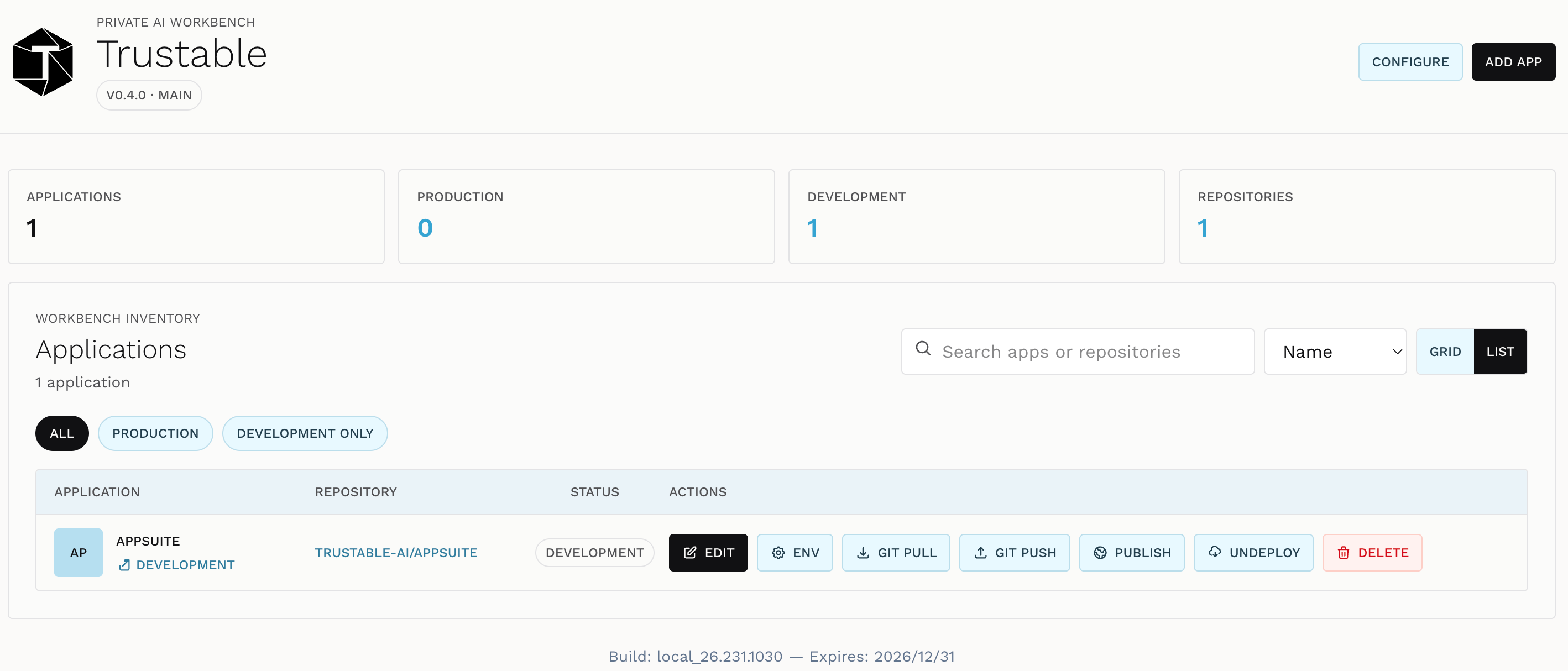
A workbench — the web UI where you list applications, edit their configuration, and launch them.
-
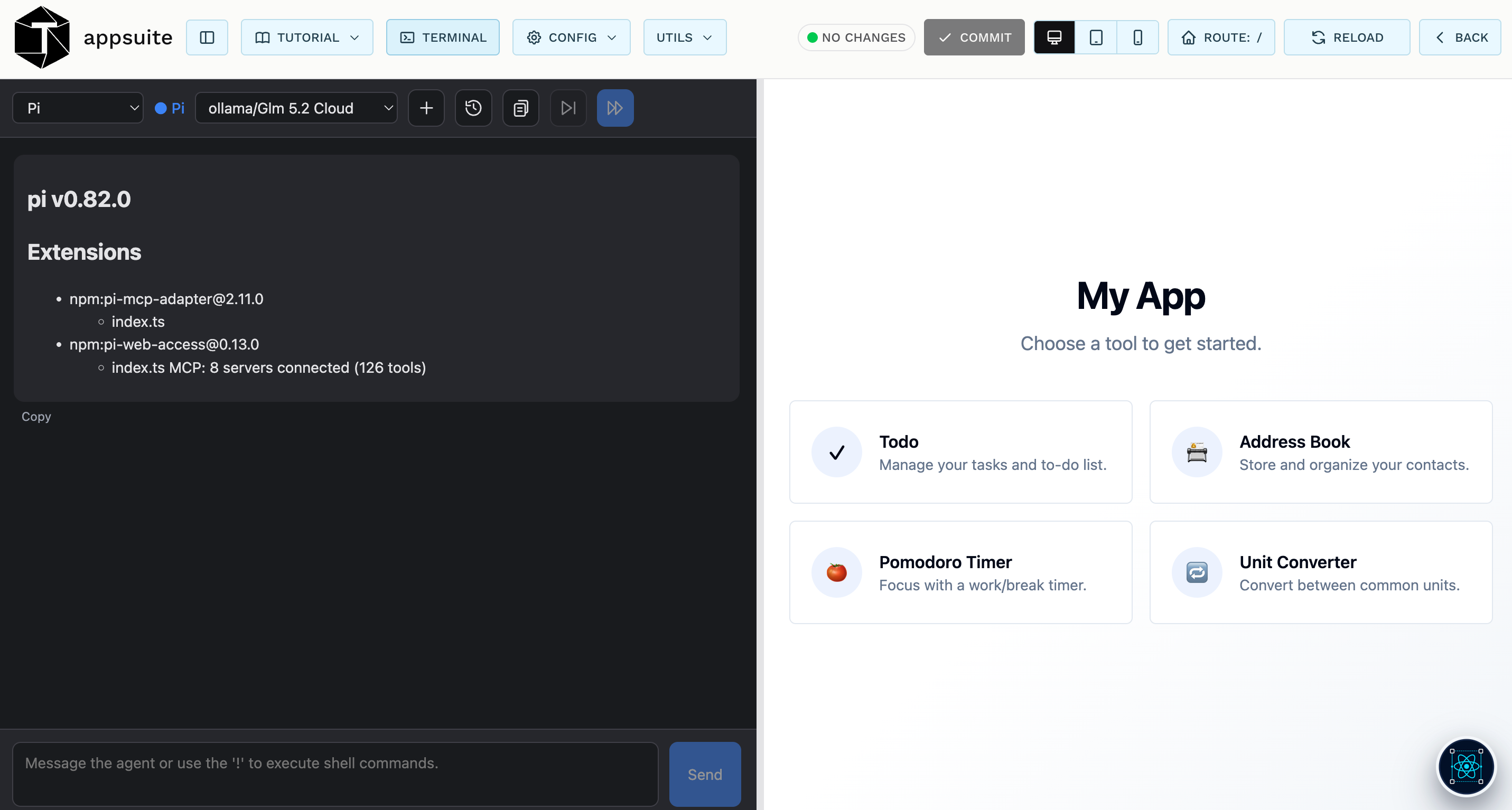
An AI coding assistant — the agent that turns a written description into a working frontend, backend actions and data wiring.
-
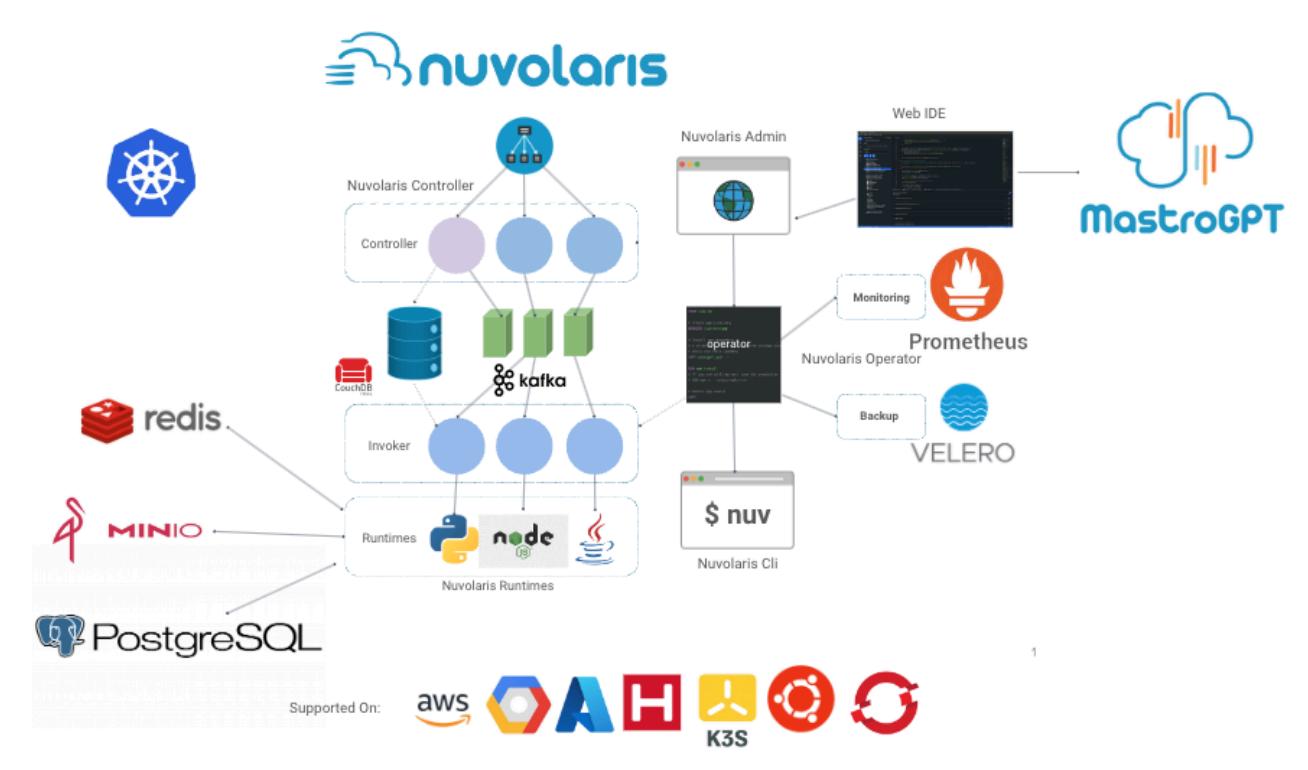
A complete runtime — Kubernetes, S3, PostgreSQL, Redis, object storage and serverless functions, already integrated, so a generated application has somewhere real to run.
Each application you create lives in its own repository. Trustable keeps a durable copy of it and checks it out into a working area whenever you launch it, so you can edit, run, revert and publish without ever losing the source of truth.
Two states of an application
Every application in Trustable is in one or both of these states:
- Development — checked out and running locally, so you can iterate on it with the AI assistant and see changes immediately.
- Production — published to your cluster, reachable by its own URL, serving real users.
The workbench shows both at a glance, and you move an application from one to the other with a single action.
The documentation
Read in order, these pages take you from a blank installation to a published application.
- Setup — choosing the AI provider that powers the assistant. This is the one mandatory step: Cloud AI, Sovereign AI, or a Private AI endpoint of your own.
- Configuration — the workbench-wide settings: models, the coding model, your license, the template repository, shared environment values, Git and GitHub.
- App List — the home screen. Creating applications from starters or from the catalog, and every per-application action: edit, environment, pull, push, publish, undeploy, delete.
- Editing — the workbench: the toolbar, the Config and Utils menus, committing, the device preview, redeploying.
- Application chat — the AI assistant that writes your application, its agents, models and sessions.
- Templates — reusable multi-step prompts: running them, editing them, and creating your own from a conversation.